Tiny Space, Big Comfort: Crushing Your Ergonomic Home Office Setup in a Small Apartment (2026 Edition)
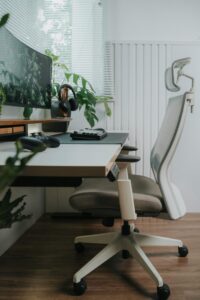
Step 1: Assess Your Tiny Turf (Before You Buy Anything)
Before splurging on gear, play detective in your space.
Grab a tape measure and sit in your current setup for 5 minutes.
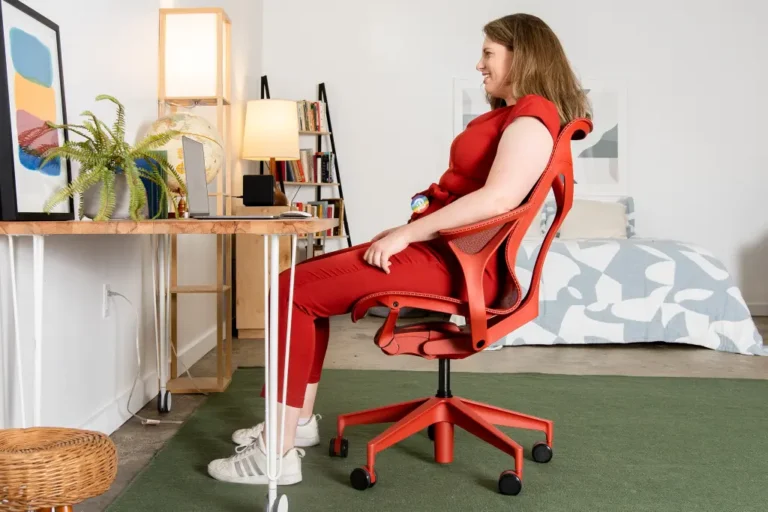
Ask: Are my feet flat on the floor? (No dangling like a kid on a swing.) Elbows at 90 degrees? Screen at eye level, arm’s length away?
Feel for tension—shoulders up by your ears? Wrists bent weirdly?
Pro tip: Aim for those golden 90-degree angles at elbows, hips, and knees. If your feet don’t reach, snag a footrest (more on that later).
And hey, if your “desk” is a coffee table, it’s time for an upgrade. Multi-functional furniture is your BFF in 2026—desks that fold, chairs that stash, and risers that don’t hog space.
Bonus: Add plants for that biophilic vibe—greenery boosts focus without eating square footage.
Step 2: Pick a Chair That Hugs You (Not Crushes You)
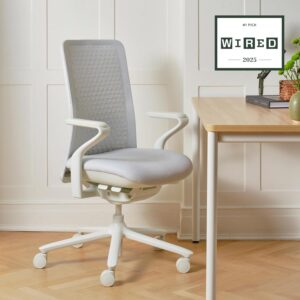
Your throne is non-negotiable. In small spaces, go compact but comfy—aim for chairs under 24 inches wide with breathable mesh to avoid that sweaty-back syndrome. From my tests (and 2026 reviews), here’s the cream of the crop for petite pads:
- Best Overall for Small Frames: Herman Miller Aeron – Comes in sizes A, B, C to fit different bodies. Super adjustable, with killer lumbar support. Petite folks love it—no more feet dangling! Around $1,200, but it’s built to last (and your back will thank you).
- Budget Boss: Branch Ergonomic Chair Pro – At $499, it’s a steal with adjustable everything. Fits wider hips without feeling tight, and it’s sleek for apartments.
- Compact Cutie: Herman Miller Zeph – Super slim (great for under 5’3″ folks), breathable, and stylish. No bulky arms to bump into walls. About $600.
Fun fact: If you’re under 5’3″, skip tall chairs—opt for adjustable ones or add a footrest. I once pinched my arm on sliding armrests; learn from my oops!

Step 3: Desk Hacks for Apartment Ninjas
No room for a full desk? Enter standing desk converters—they sit on your existing surface and lift to standing height. Ideal for switching sit-stand without buying a whole new setup. Health pros say alternate every 30-60 minutes to zap fatigue.
Top picks for tight spots:
Converter | Why It Rocks | Price Range | Best For |
|---|---|---|---|
Easy manual lift, stable, fits dual monitors. Compact footprint (28″ or 35″). | $150-250 | ||
Budget-friendly, various sizes (32″ great for small desks), smooth adjust. | $100-200 | ||
Super shallow depth, perfect for tiny desks. Holds laptop + keyboard. uncagedergonomics.com | $150 | ||
Tiny footprint (fits desks as small as 16″ deep), affordable. | $80-120 |
Step 4: Screen, Keys, and Accessories—Get 'Em Right
If you can swing it, a full sit-stand desk like the Ergonofis Sway (from my own setup) is gold—but converters are the small-space MVP.
- Monitor Magic: Wall-mount or use a slim arm to save desk space. Eye level, arm’s length—boom, no neck strain. For dual screens, go vertical stacking in tight spots.contourdesign.com
- Keyboard & Mouse: Ergonomic split keyboard and vertical mouse for wrist relief. Tray if needed to tuck under the desk.
- Lighting & Extras: Zoned lights (desk lamp + natural window) to banish glare. Acoustic panels for noise if your “office” is next to the kitchen. Footrest for shorties, anti-fatigue mat for standing sessions.
Step 5: Daily Habits to Stay Comfy (and Sane)
- Switch positions often—stand, sit, stretch.
- Take micro-breaks: Shoulder rolls, wrist shakes.
- Hydrate and move—set a timer for “ergo dance parties.”
- Personalize: Add a fun mat or motivational sticky note.